1 profile
A profile is one brand or client. The free plan gives you one, which is enough for your own channel.
The PostMyReels free plan is a free social media post scheduler for TikTok, Instagram and YouTube. It includes 1 profile, 3 connected accounts and 10 posts a month, with no card required. It is not a trial: you can use it to schedule real posts and decide later whether you need more. Sign in with Google and start; YouTube works today.
Free plan, no card · Official logins, no passwords · Errors explained, one-click retryThis is a personal Instagram account. No app can post to it. Switch it to Business or Creator in 3 taps: it's free and your followers stay.
code: ig_personal_accountThese are the platforms' rules, not ours. We check them before the login window opens.
A profile is one brand or client. The free plan gives you one, which is enough for your own channel.
One TikTok, one Instagram and one YouTube account fit exactly. Accounts connect through each platform's official login, with no passwords shared.
One post can go to all three accounts, so ten posts is ten videos published everywhere.
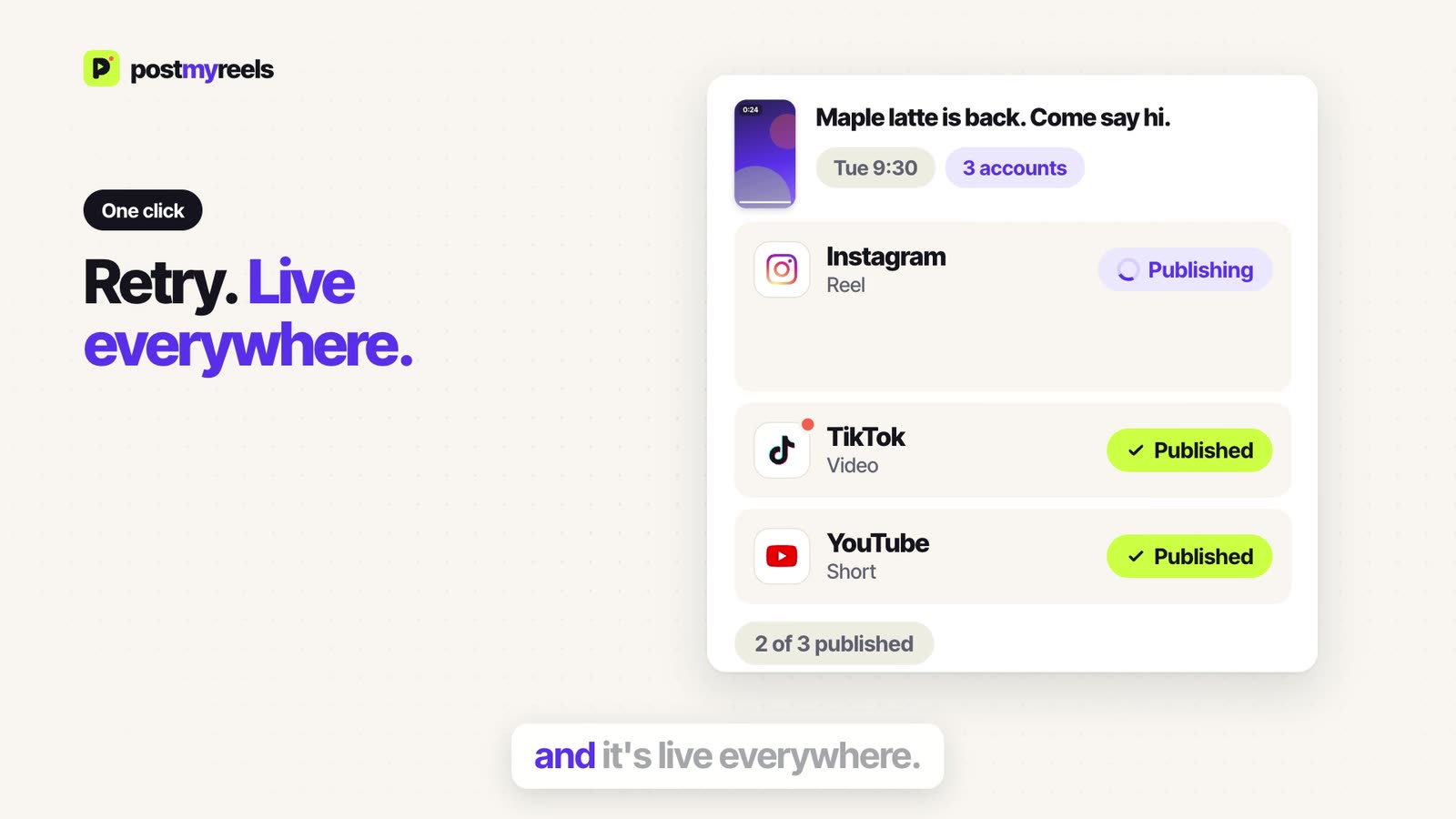
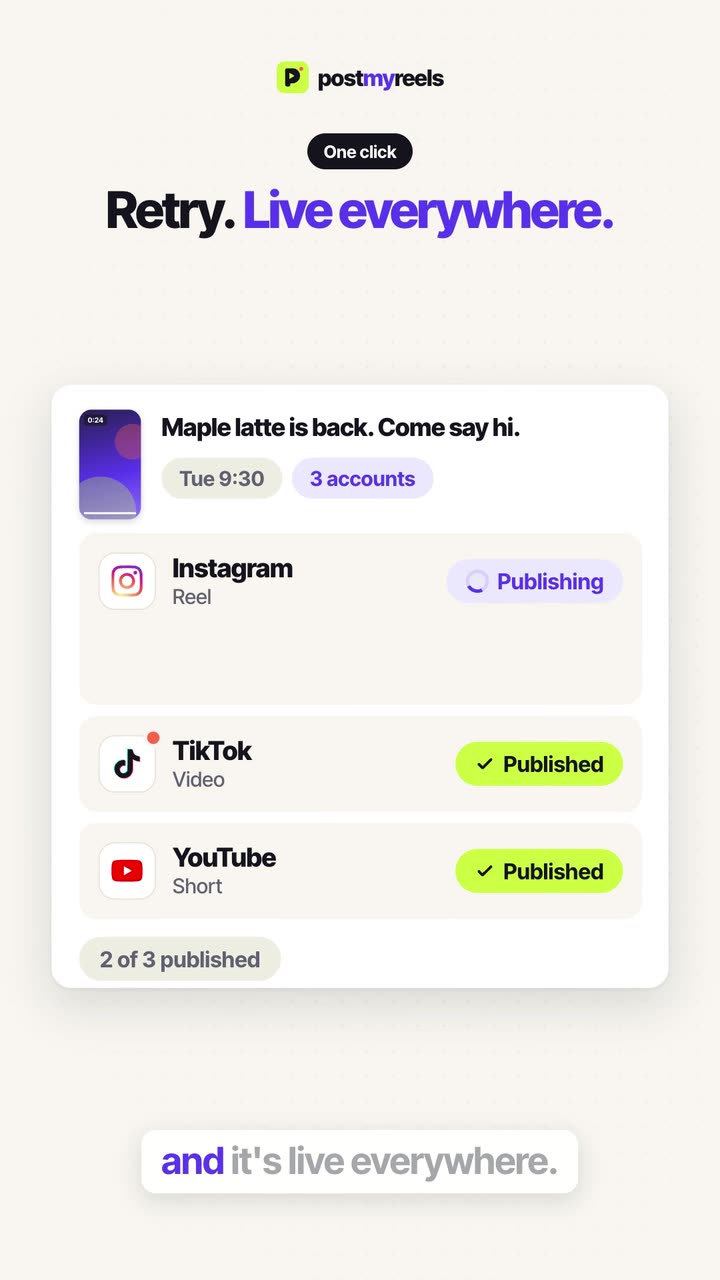
See what is scheduled, and the status of each platform inside every post. Failures show the cause and a retry button.
Test and live API keys, webhooks and the AI connector are included. Test keys validate requests and post nothing; live posts count toward your monthly 10.
You do not enter a payment method to start.
These limits come from our current plan setup and may change. The pricing page always shows the current numbers.
Ten posts a month is a little over two a week. If one video goes to TikTok, Instagram and YouTube from a single upload, that is a steady posting rhythm for one person. See how cross-posting works.
We support TikTok, Instagram and YouTube. Facebook Pages, LinkedIn, X, Pinterest and other networks are not supported yet. Instagram needs a Business or Creator account linked to a Facebook Page; personal accounts cannot be posted to by any app.
While TikTok's audit of our app is pending, TikTok posts publish as private ("Only me"). YouTube works today and uploads publish with the privacy you choose; our daily upload quota is still YouTube's default while our increase request is reviewed. Instagram opens after Meta's review. No dates are promised.
Free schedulers are not all the same kind of free. Before you pick one, check which limit you will hit first:
For a comparison of what other tools' free plans allow, as of November 2026, see the schedulers compared. Their numbers change, so confirm on each vendor's site.
A baker runs one brand with a TikTok, an Instagram and a YouTube account. She films two videos on Sunday and one midweek, so about 10 videos a month with a spare for a seasonal post. Each upload goes to all three accounts as one post, which uses one of her 10 posts, not three.
She creates a profile, connects the three accounts, drops each video into the composer, edits the caption for each network, and picks a time or adds it to the queue. The calendar shows the month; if a post fails, it is pinned on top with the cause and a retry button.
She would outgrow the plan if she opened a second brand, added a fourth account, needed more than ten posts, or wanted bulk scheduling. Until then free is enough. Remember that, while the TikTok audit is pending, her TikTok posts publish as private.
Stay on free while you have one brand, three accounts and ten posts a month. Look at a paid plan when you need more profiles, more accounts, more posts, bulk scheduling, or white-label client connect links (Agency and up). The paid plans are listed on pricing. Paid plans aren't on sale yet: reserve one and pay nothing until billing opens.
Agencies managing clients should read about white-label connect links. If you are comparing other tools, see the best social media schedulers compared, including what each free plan allows.
Free plan, no card: sign in with Google and start now. YouTube works today. TikTok posts publish as private ("Only me") until TikTok’s audit of our app passes. Instagram opens after Meta’s review.
We show what each platform needs (Business account, linked Page, right channel) before the login window opens, then run a private test post so you know it works.
Drop a video or photos. We check ratio, length and size on upload, and only ask for platform extras that are really required.
One button: "Schedule to 3 accounts". Track every platform in one row. If one fails, you see why and retry in one click.
The same posts, from code. Test keys validate everything and post nothing.
</>Read the API docscurl https://api.postmyreels.com/api/v1/posts \
-H "Authorization: Bearer pmr_test_…" \
-H "Content-Type: application/json" \
-d '{
"profile": "bella-bakery",
"platform": ["tiktok", "instagram", "youtube"],
"media": [{ "url": "https://cdn.example.com/autumn.mp4" }],
"caption": "Autumn menu is here",
"title": "Autumn menu at Bella Bakery",
"tiktok": { "privacy_level": "PUBLIC_TO_EVERYONE" },
"scheduled_at": "2026-11-20T09:30:00Z"
}'
# 202 → { "post_id": "post_01J5", "status": "queued", "deliveries": [3] }const res = await fetch("https://api.postmyreels.com/api/v1/posts", {
method: "POST",
headers: {
Authorization: `Bearer ${process.env.PMR_KEY}`,
"Content-Type": "application/json",
"Idempotency-Key": crypto.randomUUID(),
},
body: JSON.stringify({
profile: "bella-bakery",
platform: ["tiktok", "instagram", "youtube"],
media: [{ url: "https://cdn.example.com/autumn.mp4" }],
caption: "Autumn menu is here",
title: "Autumn menu at Bella Bakery",
}),
});
const post = await res.json(); // 202, post.deliveries[]Every plan: all platforms, scheduling, queue, API. Extra profiles from $3 down to $1 a month each, 5 more accounts per profile. Yearly: save 17%.
Yes. The PostMyReels free plan includes 1 profile, 3 connected accounts and 10 posts a month, with no card required. Sign in with Google at app.postmyreels.com and start.
1 profile, 3 accounts and 10 posts a month, plus the dashboard, calendar, AI connector, test and live API keys and webhooks. Limits may change; the pricing page has the current numbers.
No. You can start without entering a payment method.
Not with PostMyReels. We support TikTok, Instagram and YouTube only for now.
For one brand posting short video to TikTok, Instagram and YouTube, yes. If you need Facebook Pages, LinkedIn or a team inbox, you need a different tool.
Our free plan does not ask for a card. Check the plan details on the pricing page for branding rules, and check any other tool's free plan the same way.
Not yet. While TikTok's audit of our app is pending, posts to TikTok publish as private (Only me).

Schedule social media posts once and publish to TikTok, Instagram and YouTube on time. One dashboard, plain-language errors, free plan with no card.
Read →
Cross-post one video to TikTok, Instagram Reels and YouTube Shorts at once, with captions tuned per platform and one status view. Free plan, no card.
Read →ProductPostMyReels pricing: a free social media scheduler plan with no card, and paid plans that add more profiles, posts, reports and approvals.
Read →Free plan, no card: sign in with Google and start now. YouTube works today. TikTok posts publish as private ("Only me") until TikTok’s audit of our app passes. Instagram opens after Meta’s review.